 Gapex
Gapex Connect Telegram
Connect your Telegram channel to Gapex to manage comments with AI
Overview
Connect your Telegram channel to Gapex to automatically capture comments from your channel’s discussion group, generate AI-powered replies, and manage audience engagement — all from one dashboard.
How Telegram Integration Works
Telegram channels don’t expose a direct API for reading comments. Instead, Gapex uses a dedicated bot that you invite as an admin to your channel and its linked discussion group. Once the bot is in place, it receives all new messages in real time via a webhook.
Requirements before connecting:
- A Telegram channel that you own or administer
- A discussion group linked to your channel (Settings → Discussion in Telegram)
How to Connect
Step 1: Open the Accounts sidebar
In the Gapex dashboard, locate the Accounts section in the left-hand sidebar. Click the + Add account button.
Step 2: Select Telegram
From the list of supported platforms, select Telegram.
Step 3: Open the bot in Telegram
Gapex will display an Open in Telegram button that opens a deep link to the Gapex bot. Click it — your Telegram app will open. Press Start and the bot will begin the conversation.
Step 4: Add the bot to your channel
The bot will prompt you to add it as an administrator to your channel. Click Add me to your channel, then type your channel name in Telegram and select it from the list. Grant the following permissions:
- Post messages
- Delete messages
- Restrict members
Step 5: Add the bot to your discussion group
After being added to the channel, the bot will detect the linked discussion group and ask you to add it there as well. Click Add me to [group name] and grant:
- Delete messages
- Restrict members
Step 6: Select your channel
Once the bot is an admin in both places, it will display a list of ready channels. Tap the channel you want to connect. Gapex will finalize the connection and your account will appear in the dashboard.
What Happens Next
Once connected:
- Real-time comment capture — Every new comment in your discussion group is instantly sent to Gapex via webhook.
- AI response suggestions — Gapex generates reply suggestions for each comment based on your channel’s context.
- Post syncing — New channel posts are automatically tracked so comments are linked to the correct post.
Manual Setup
If the automatic bot flow didn’t work, or you prefer to set things up yourself, you can add the Gapex bot as an administrator manually and link a discussion group from your channel settings.
Part 1 — Add the bot as admin to your channel
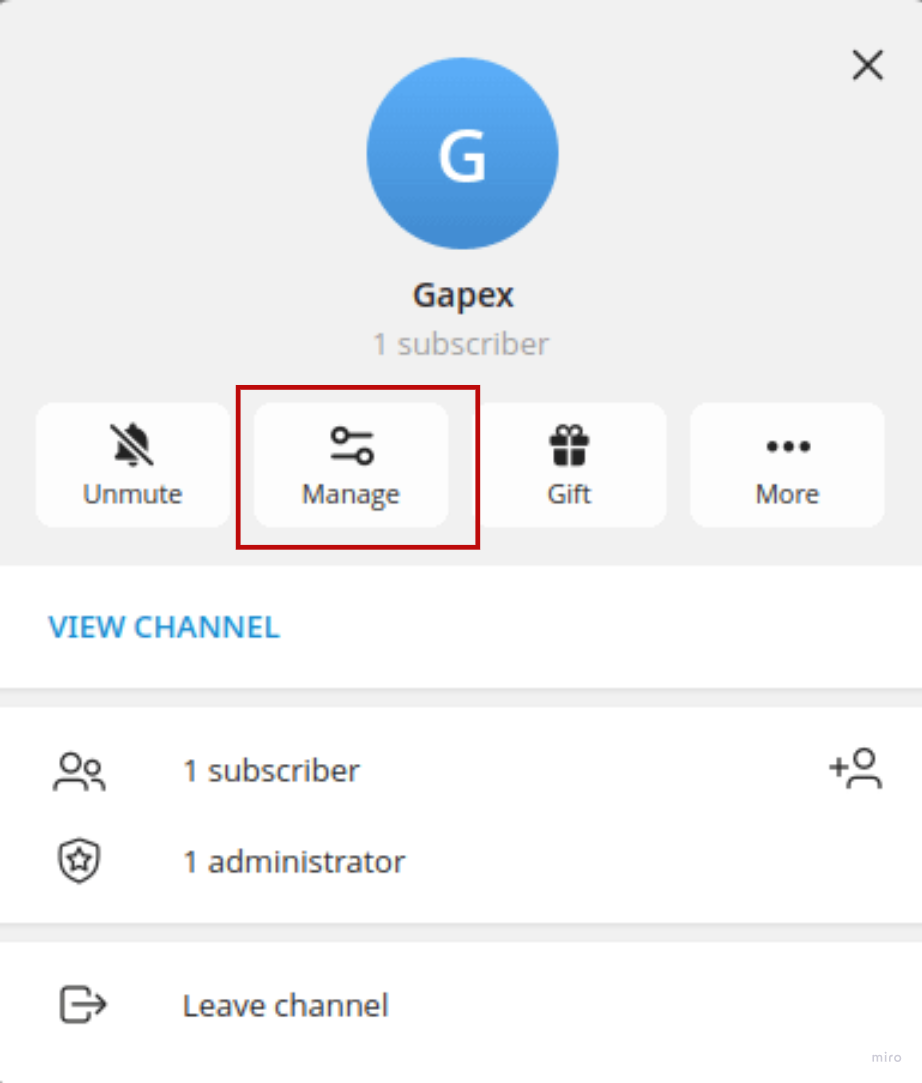
Step 1. Open your channel in Telegram and tap Manage.
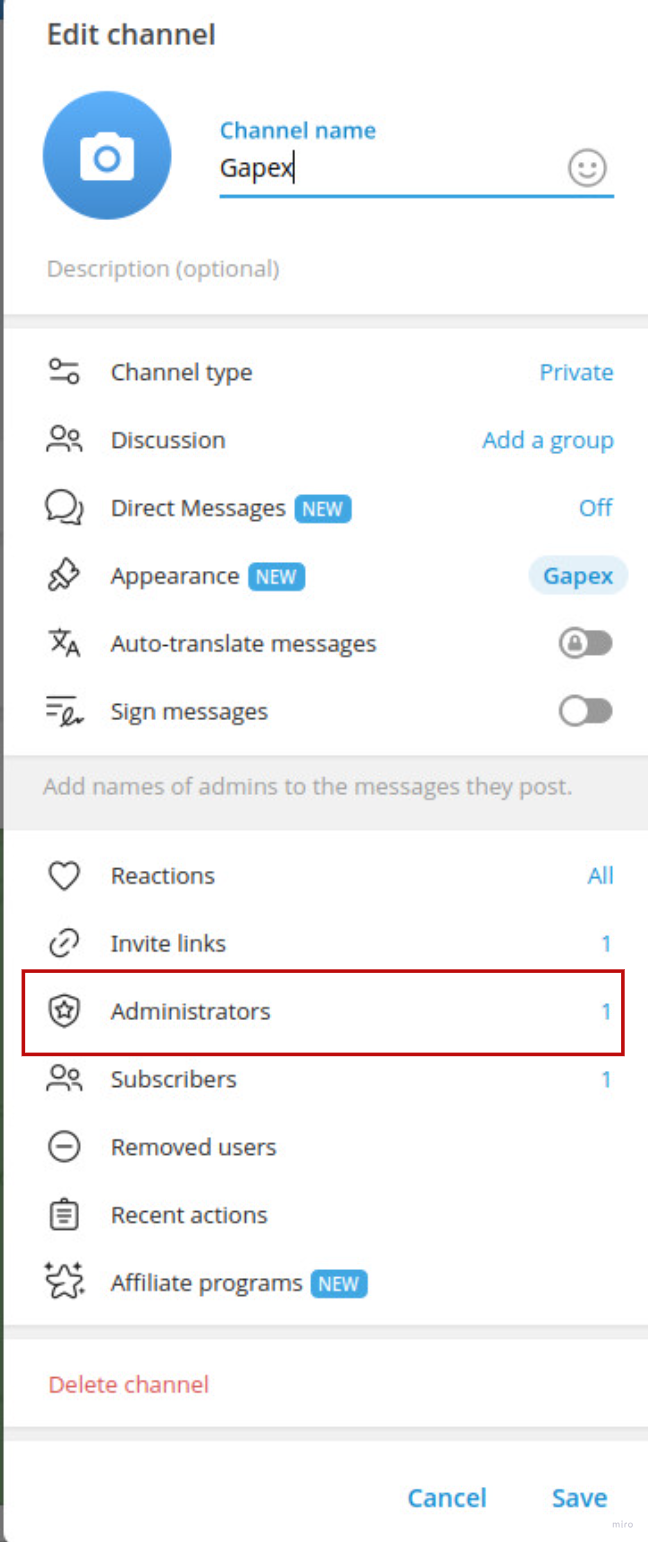
Step 2. In the Edit channel screen, tap Administrators.
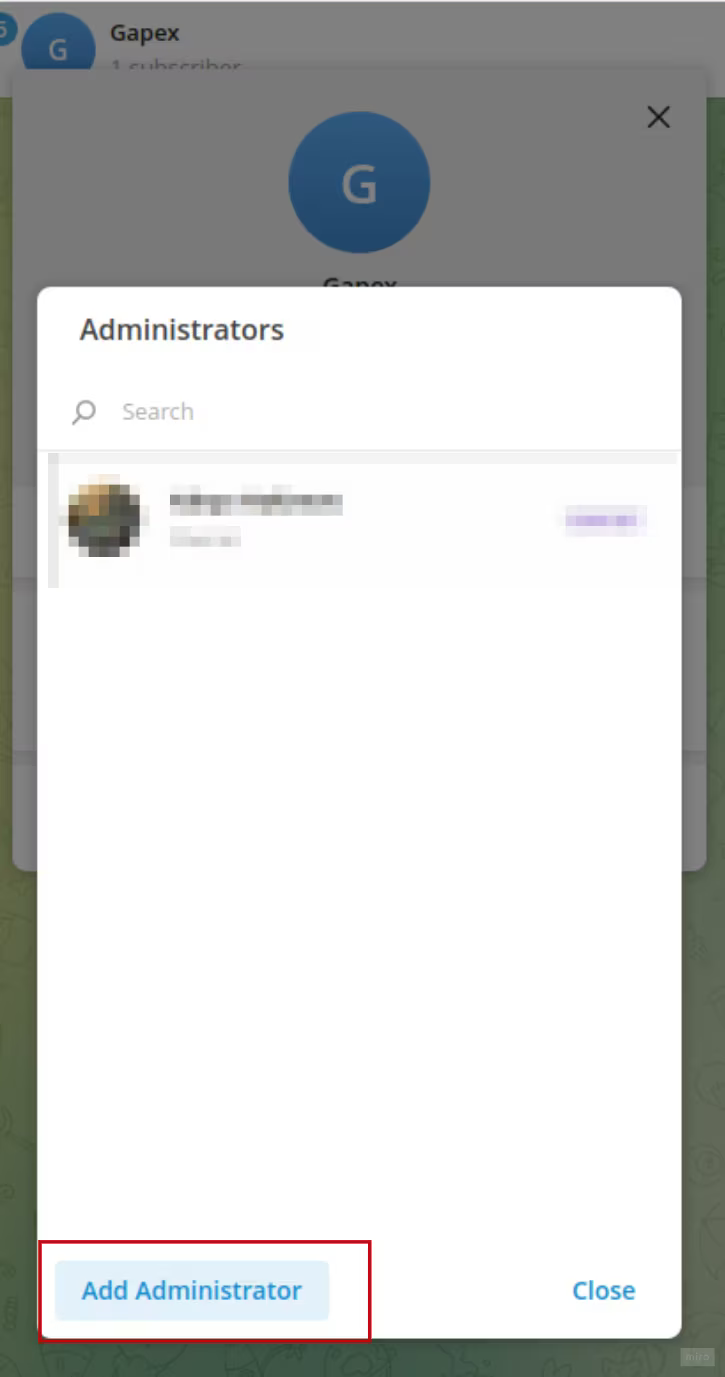
Step 3. Tap Add Administrator.
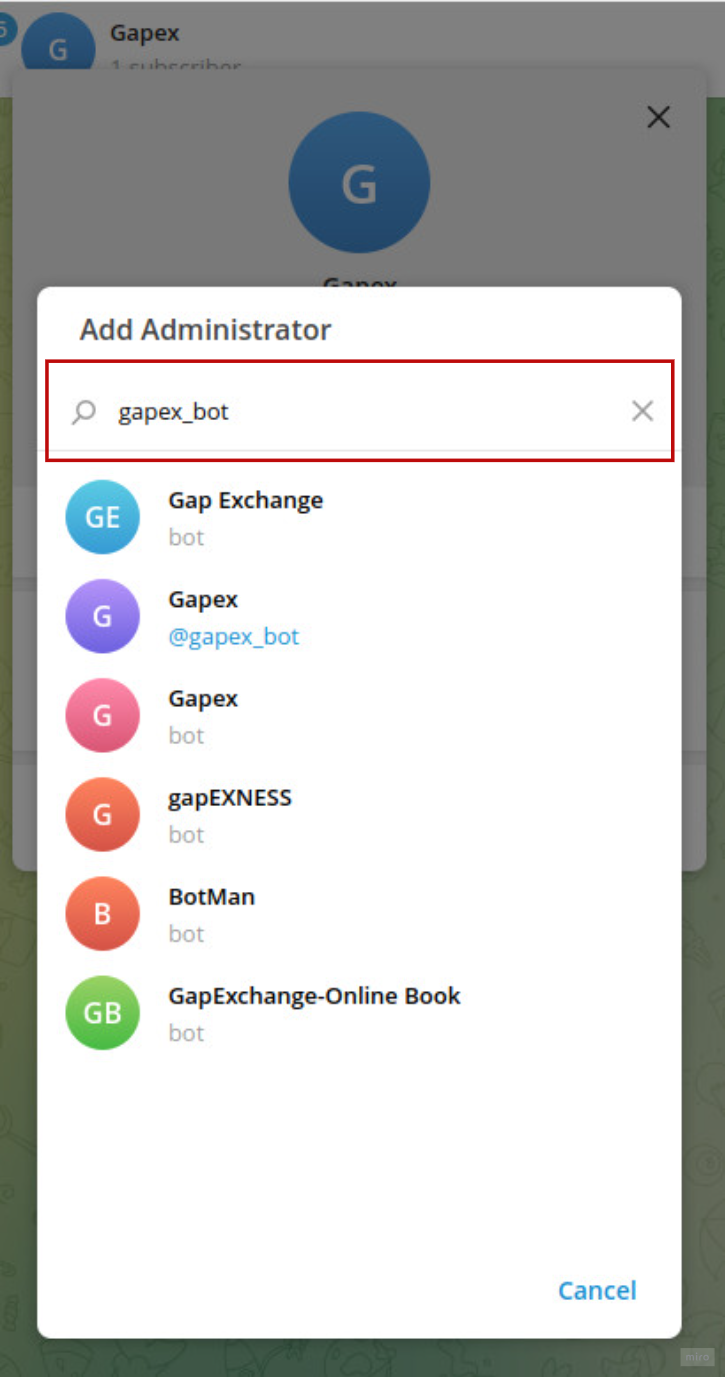
Step 4. Search for the Gapex bot by its username and select it.
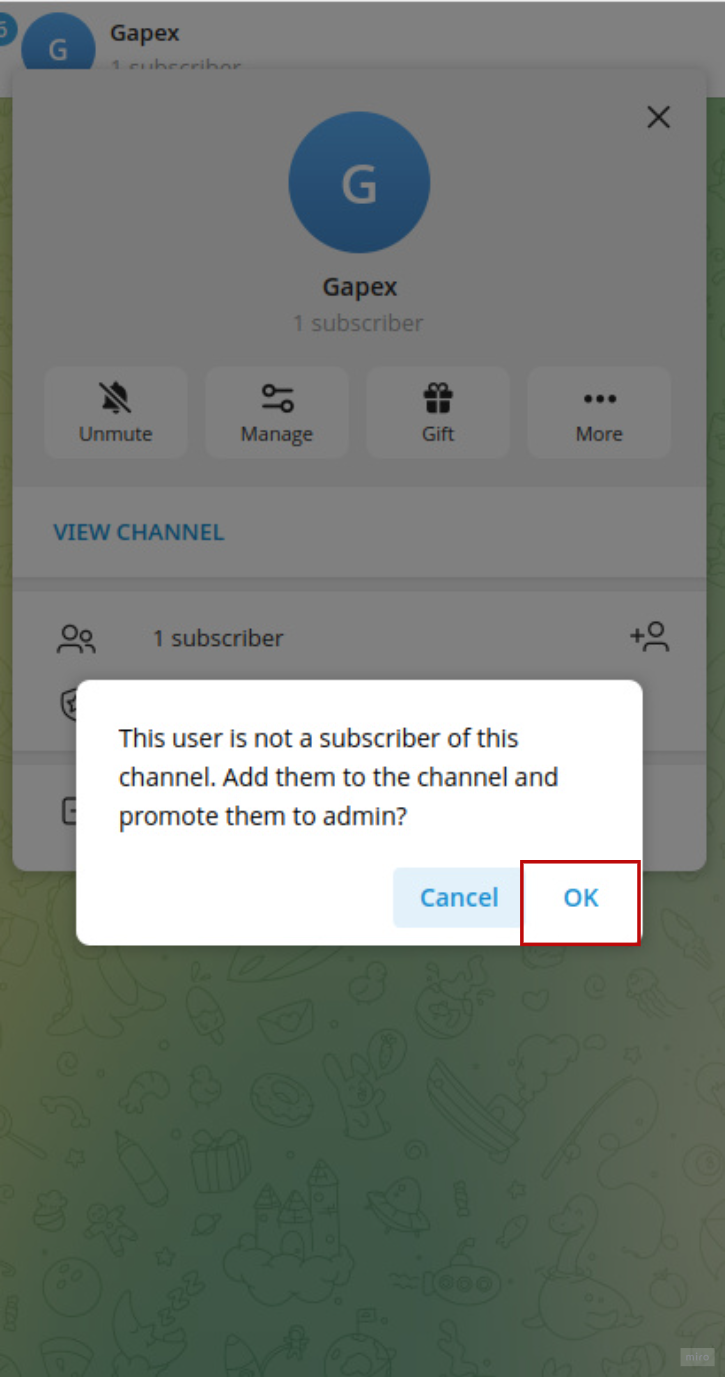
Step 5. Telegram will ask to add the bot to the channel. Tap OK.
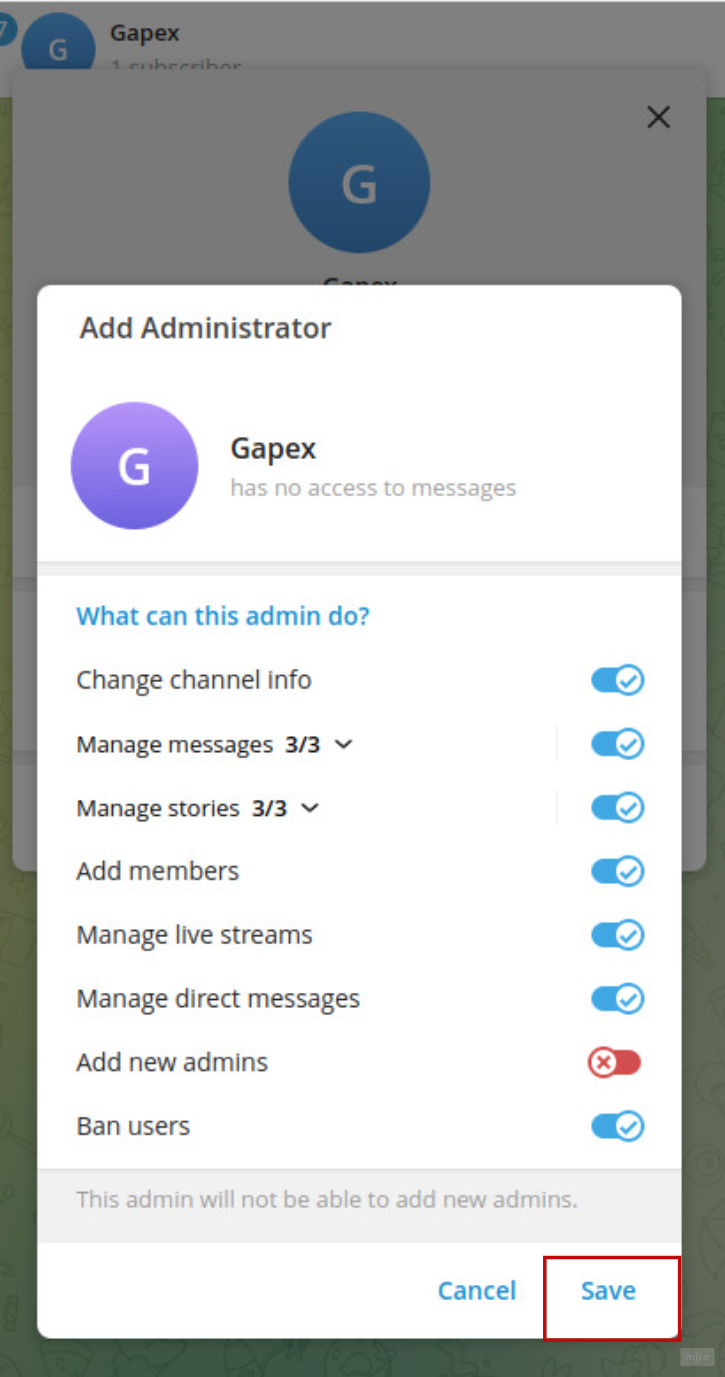
Step 6. Grant the required permissions and tap Save.
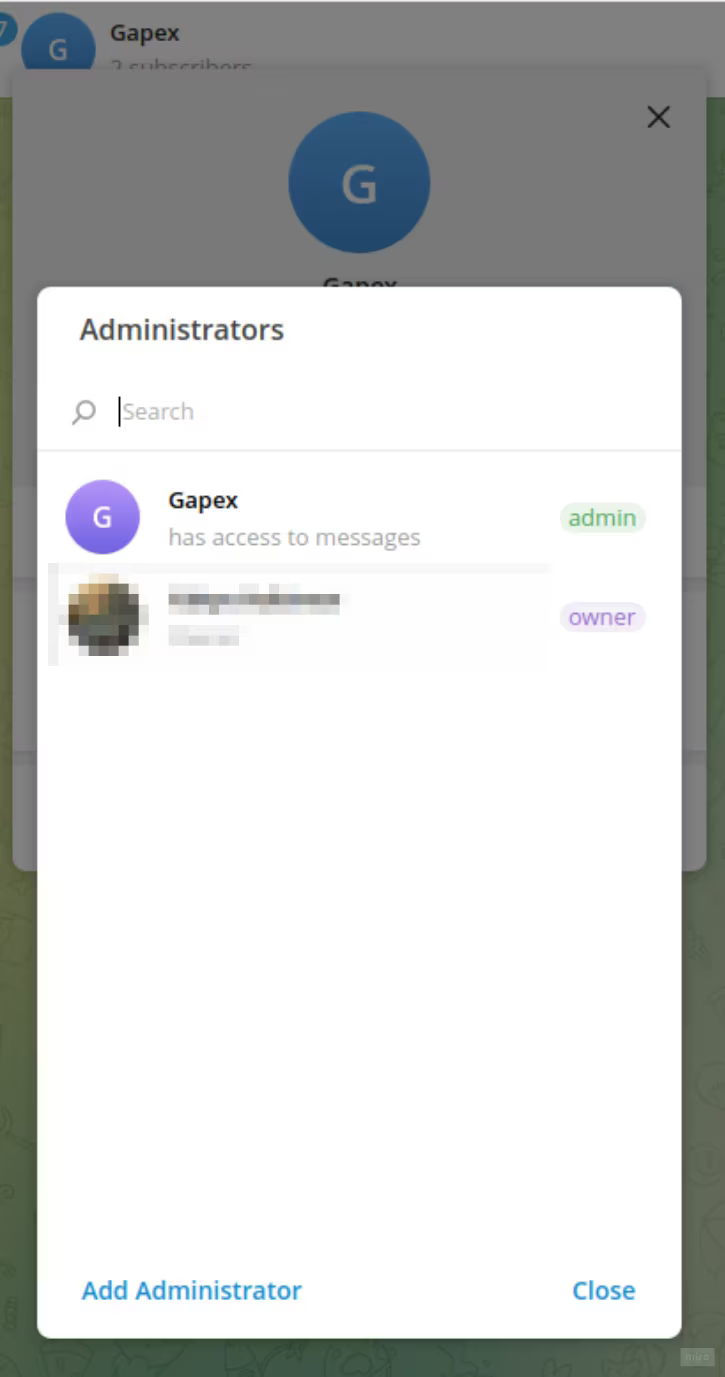
The bot now appears in your Administrators list.
Part 2 — Link a discussion group to your channel
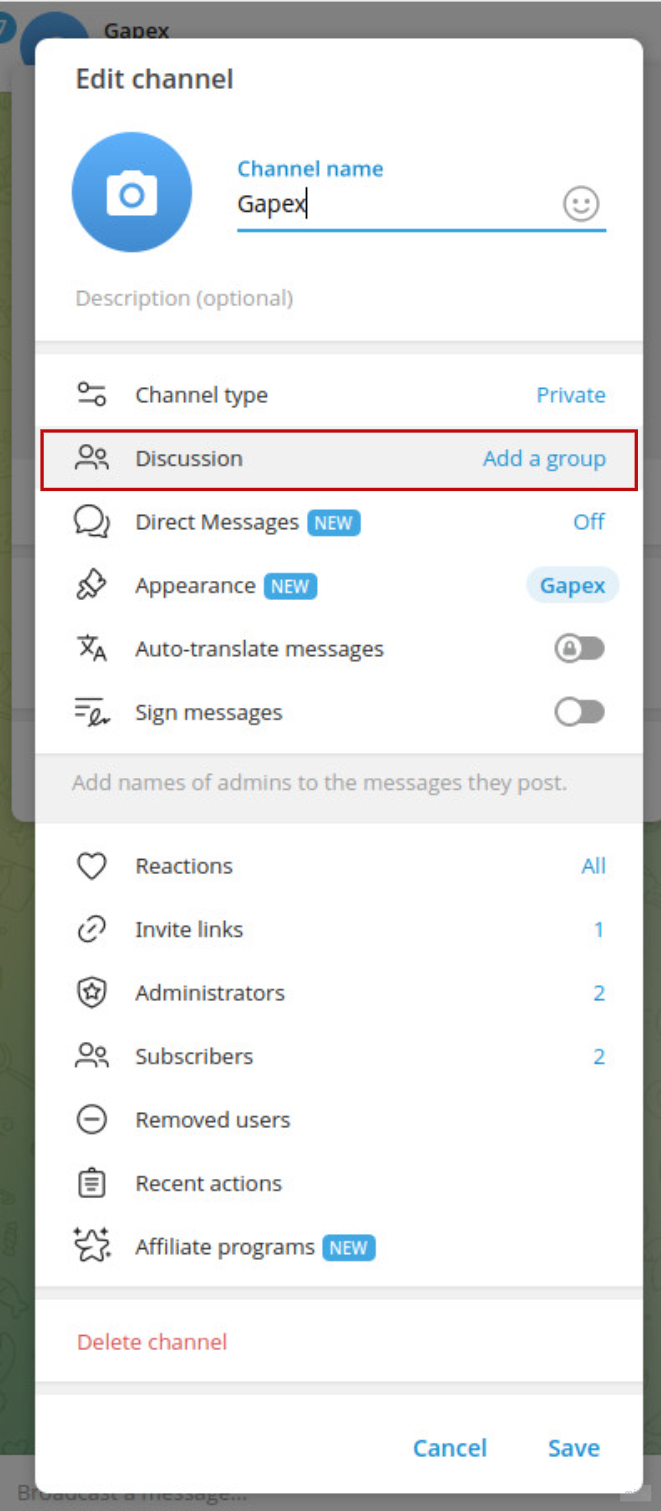
Step 7. In Edit channel, tap Discussion → Add a group.
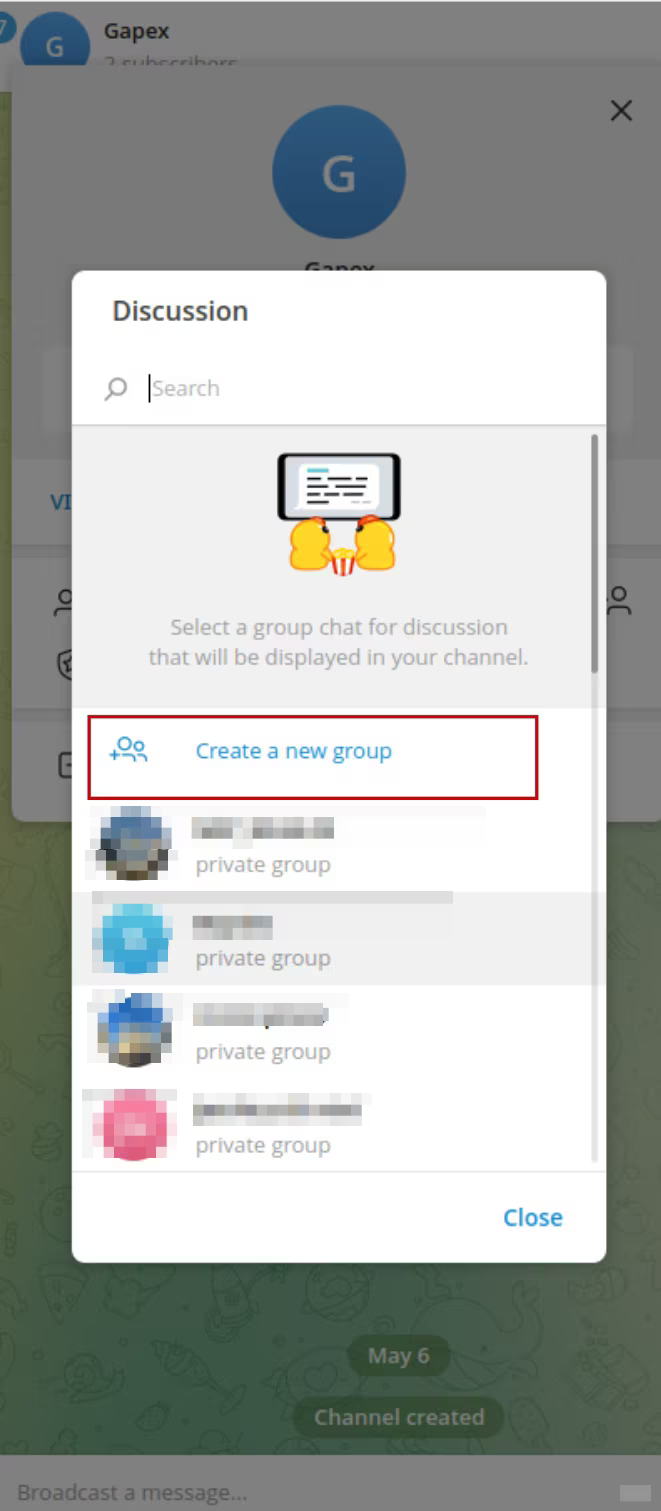
Step 8. Select an existing group or tap Create a new group.
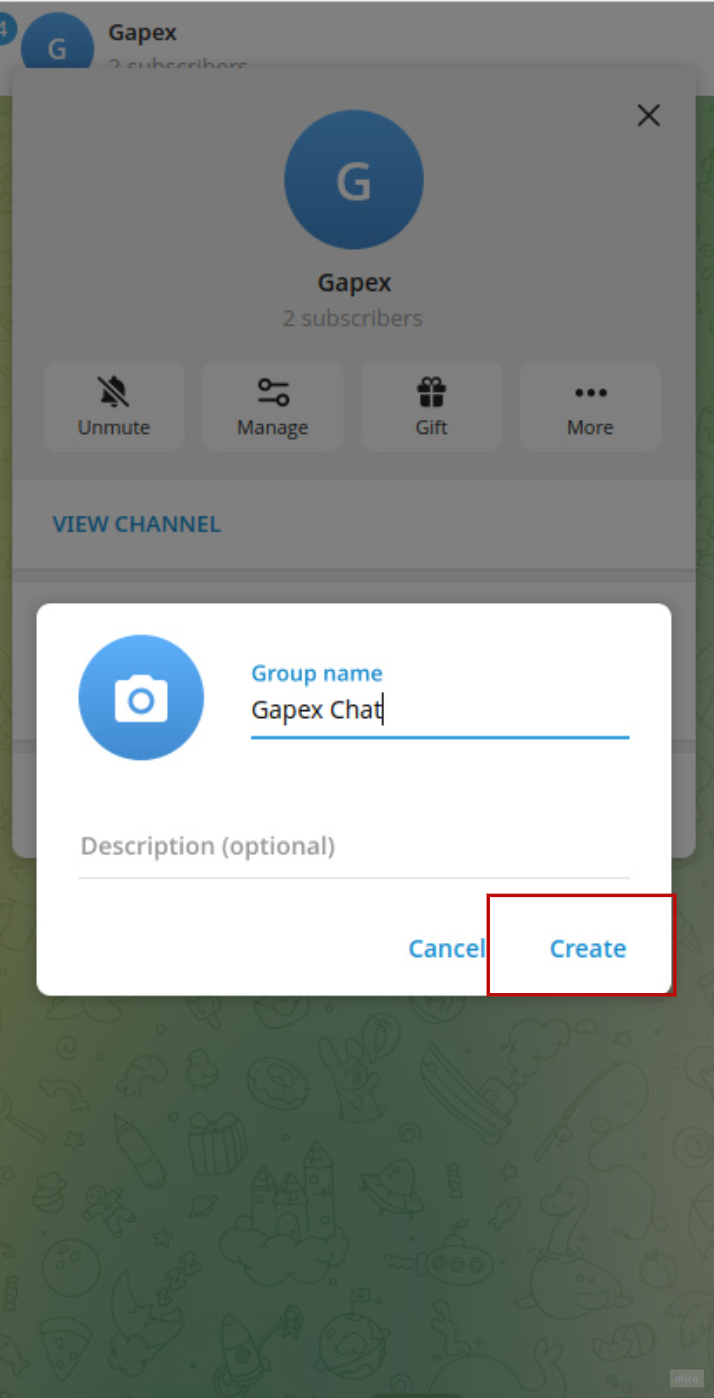
Step 9. Give your group a name and tap Create.
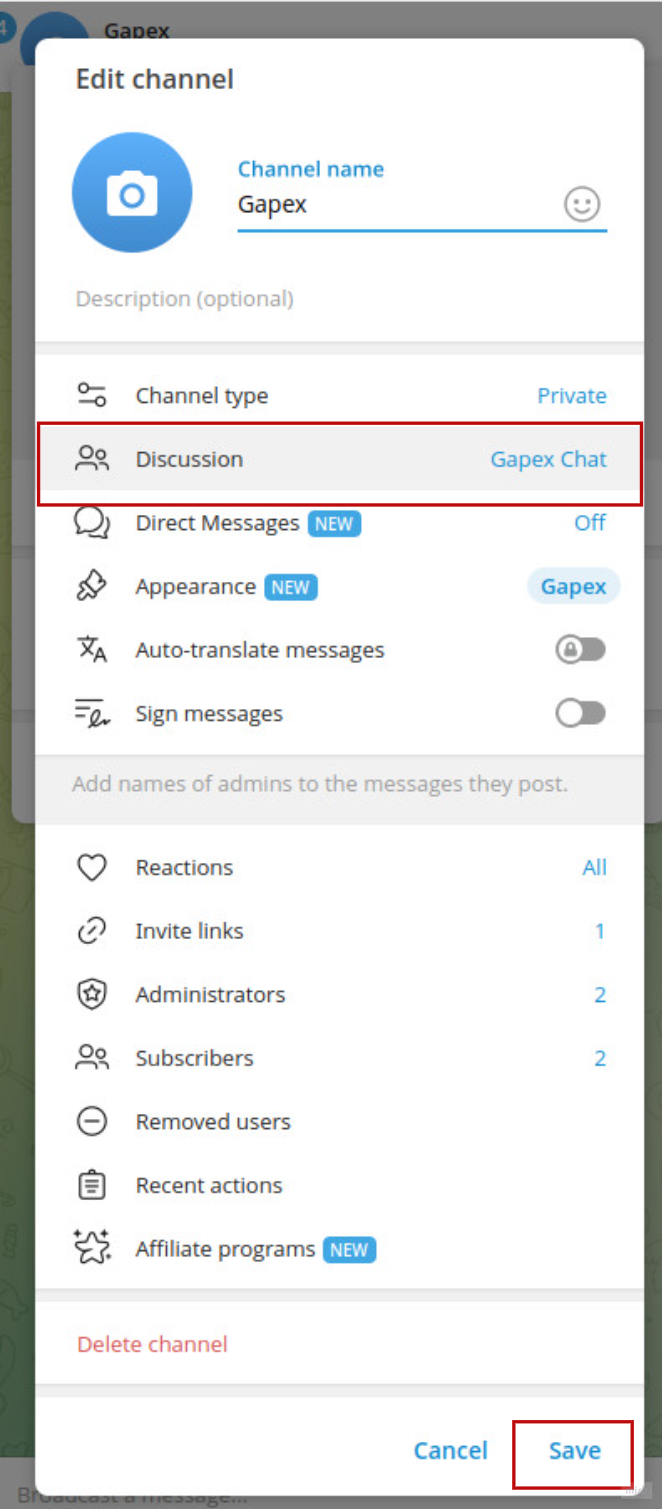
Step 10. Back in Edit channel, your discussion group is now linked. Tap Save.
Part 3 — Add the bot as admin to the discussion group
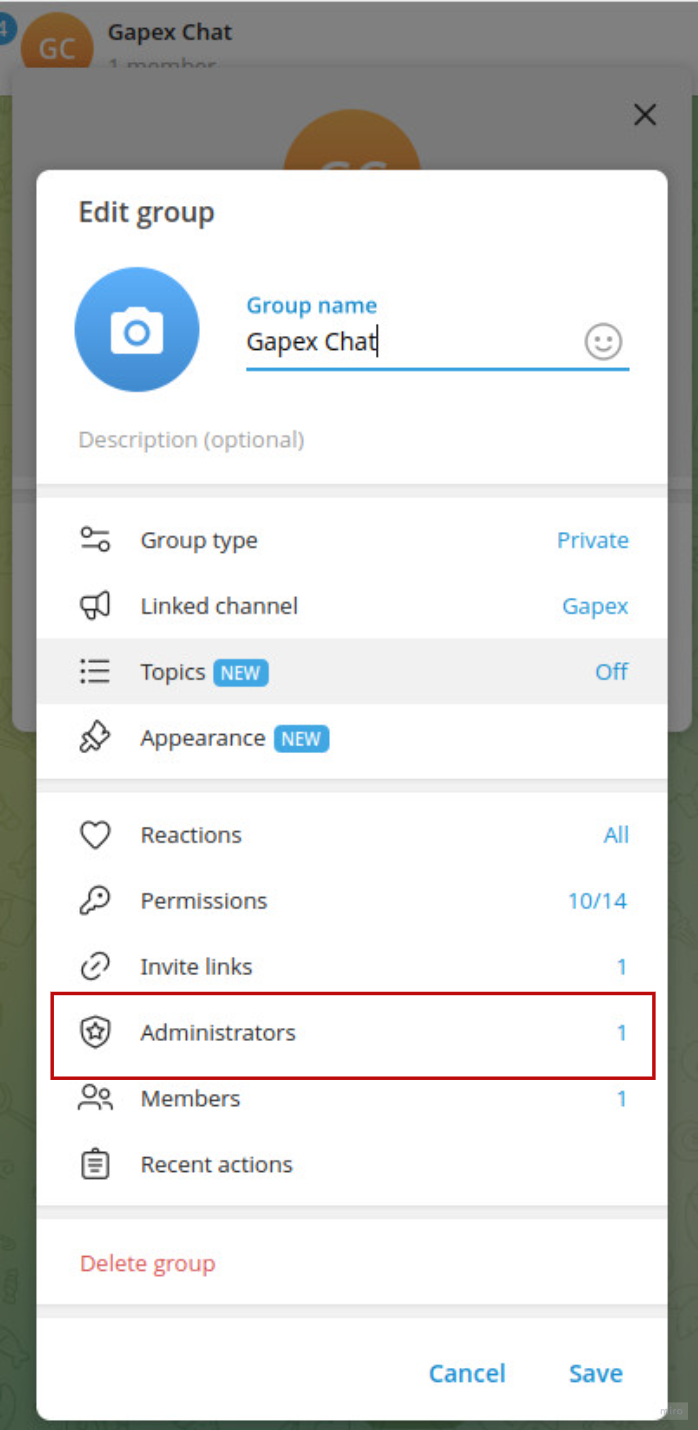
Step 11. Open your discussion group and go to Manage → Administrators.
Step 12. Tap Add Administrator and search for the Gapex bot.
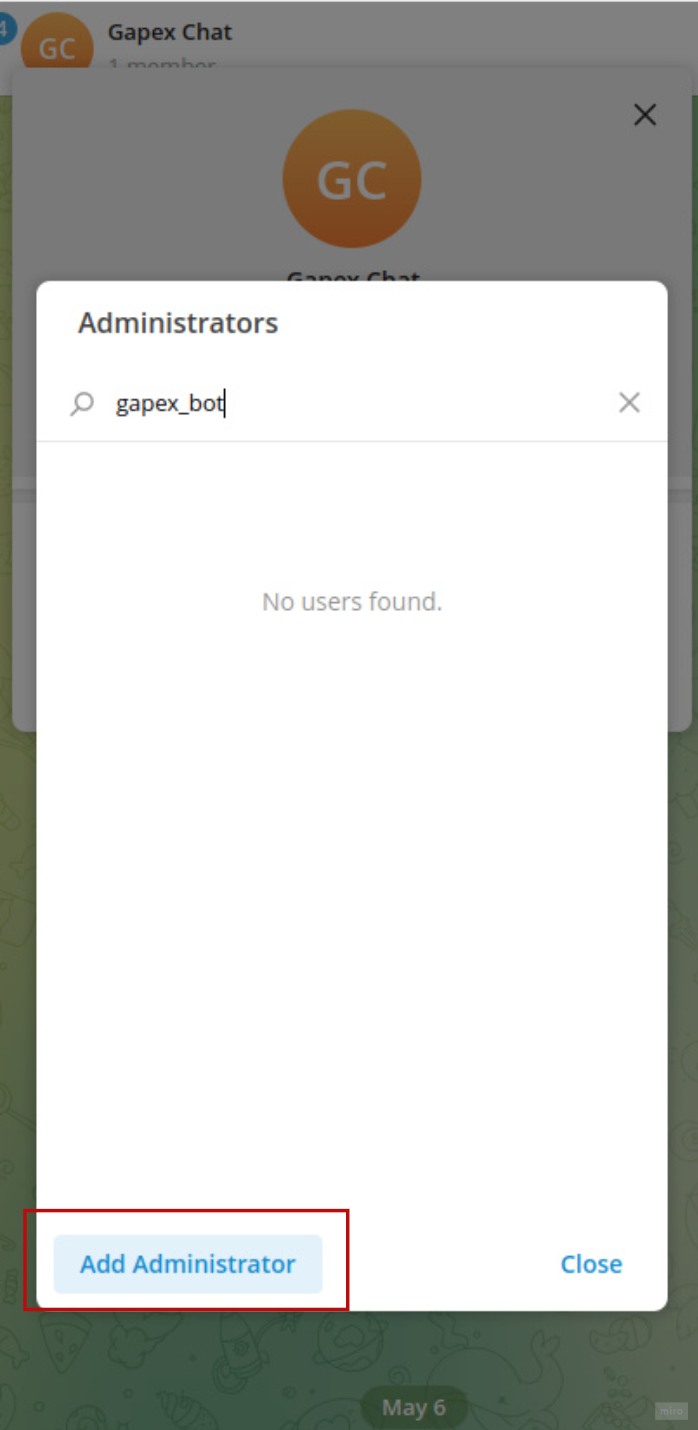
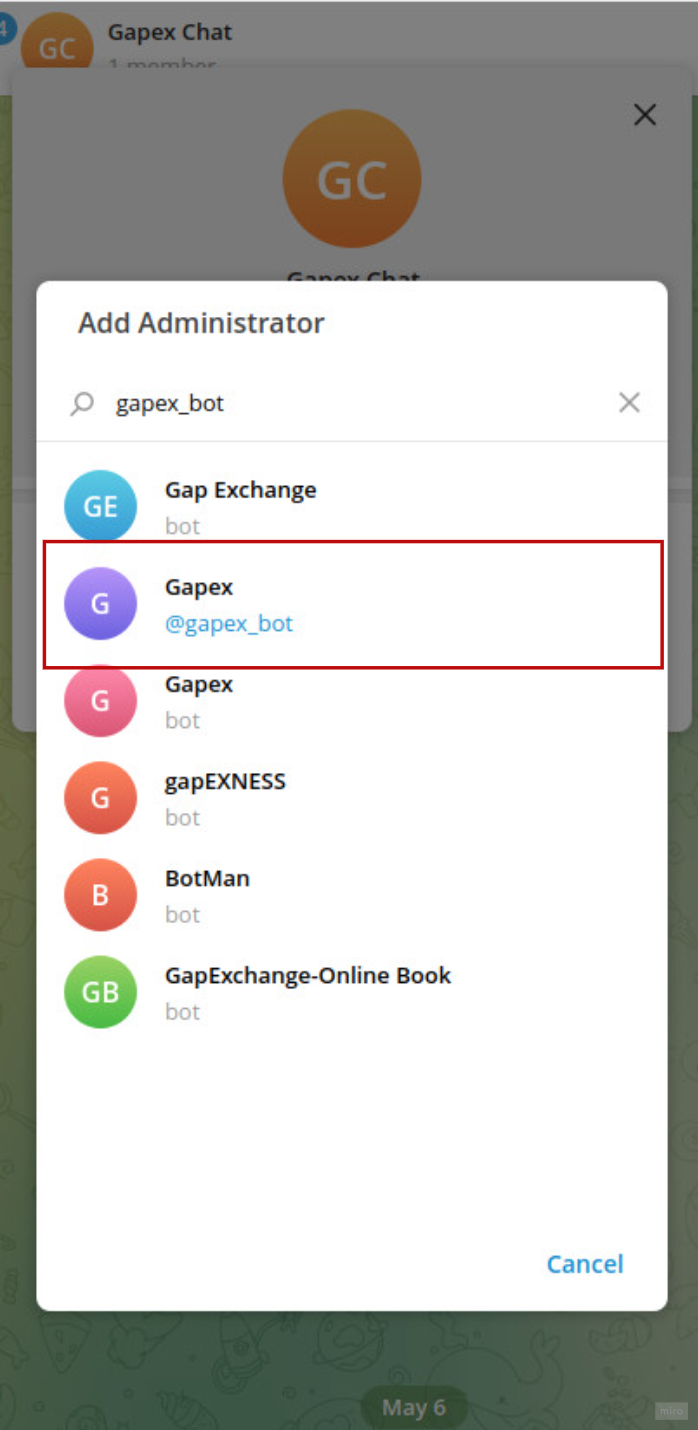
Step 13. Select the Gapex bot from the search results.
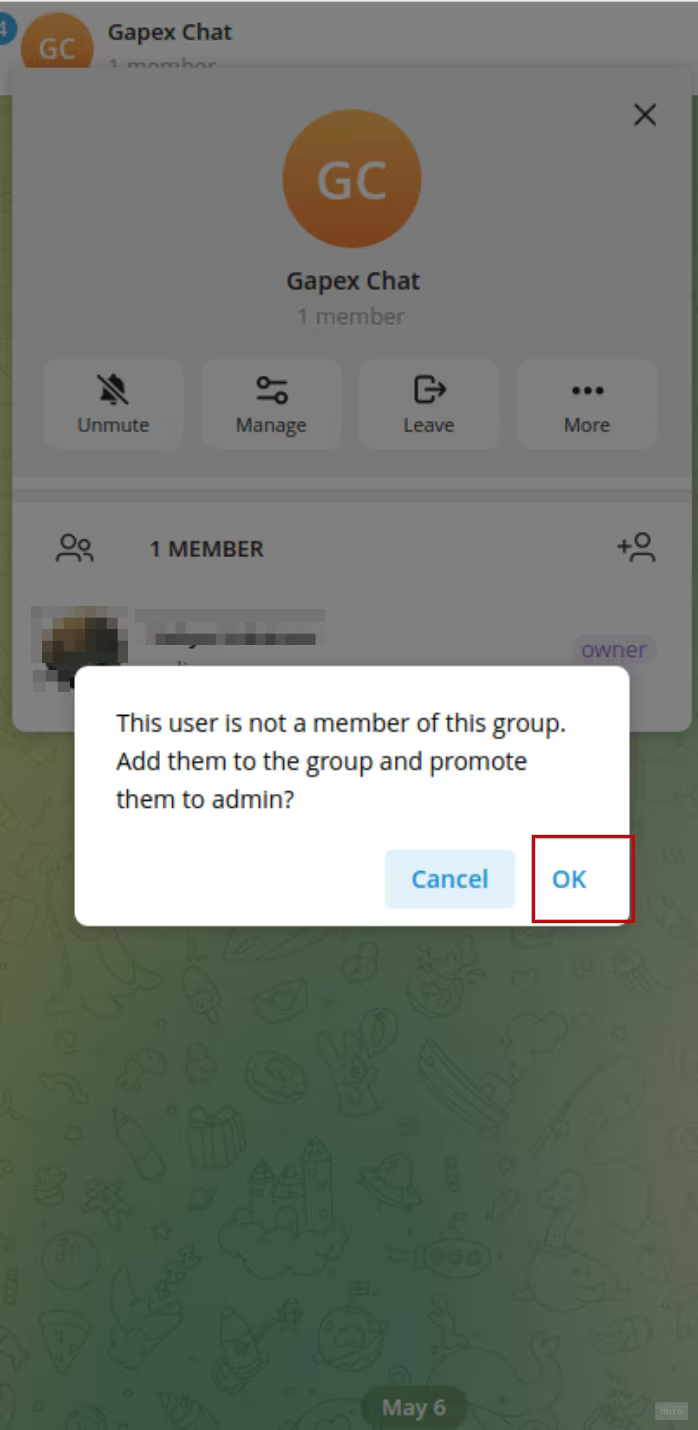
Step 14. Confirm adding the bot to the group. Tap OK.
Step 15. Grant the required permissions and tap Save.
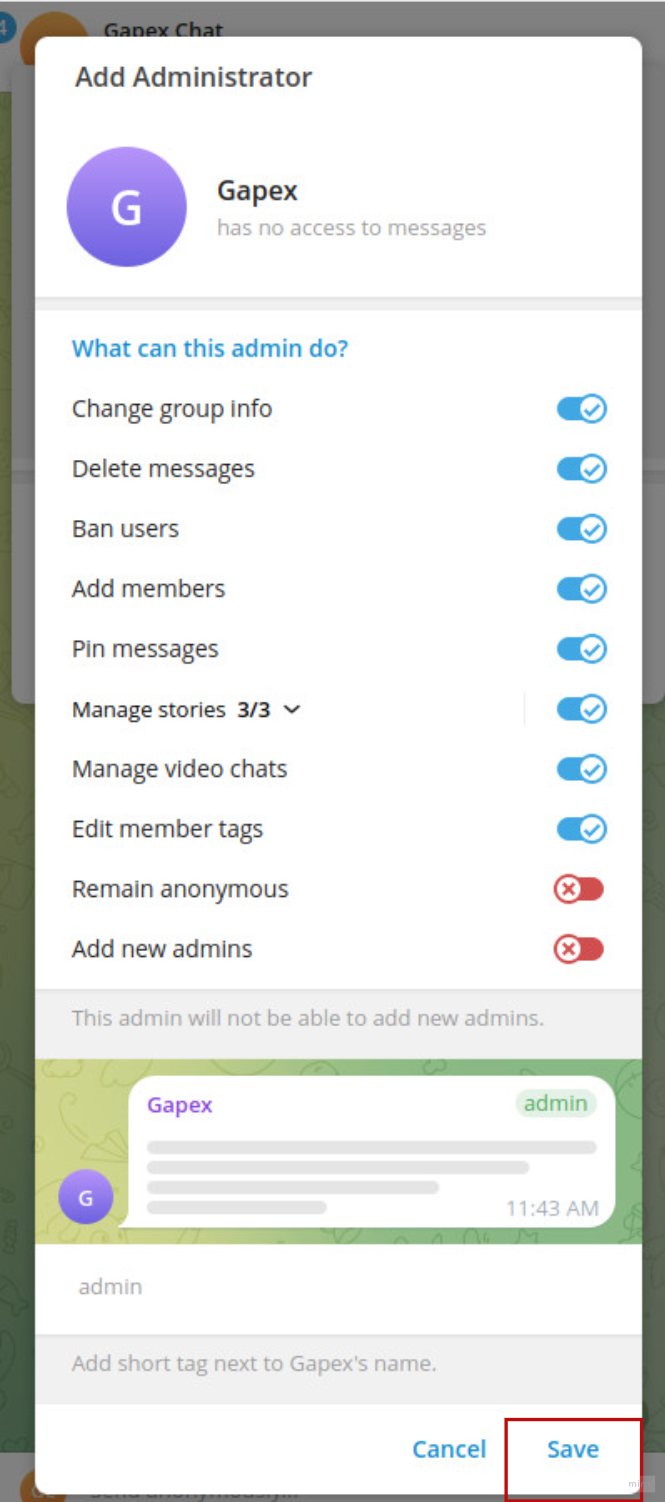
Step 16. Save the group settings.
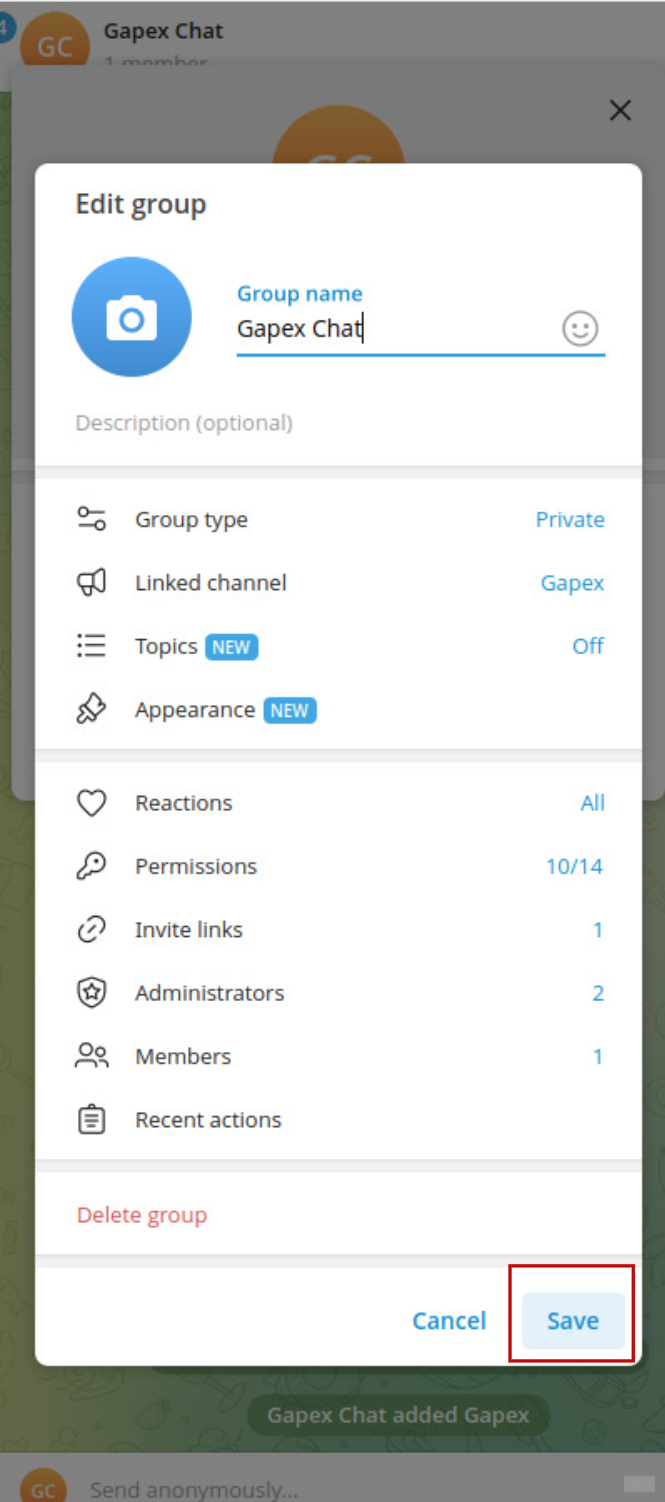
The bot is now an administrator in your discussion group.
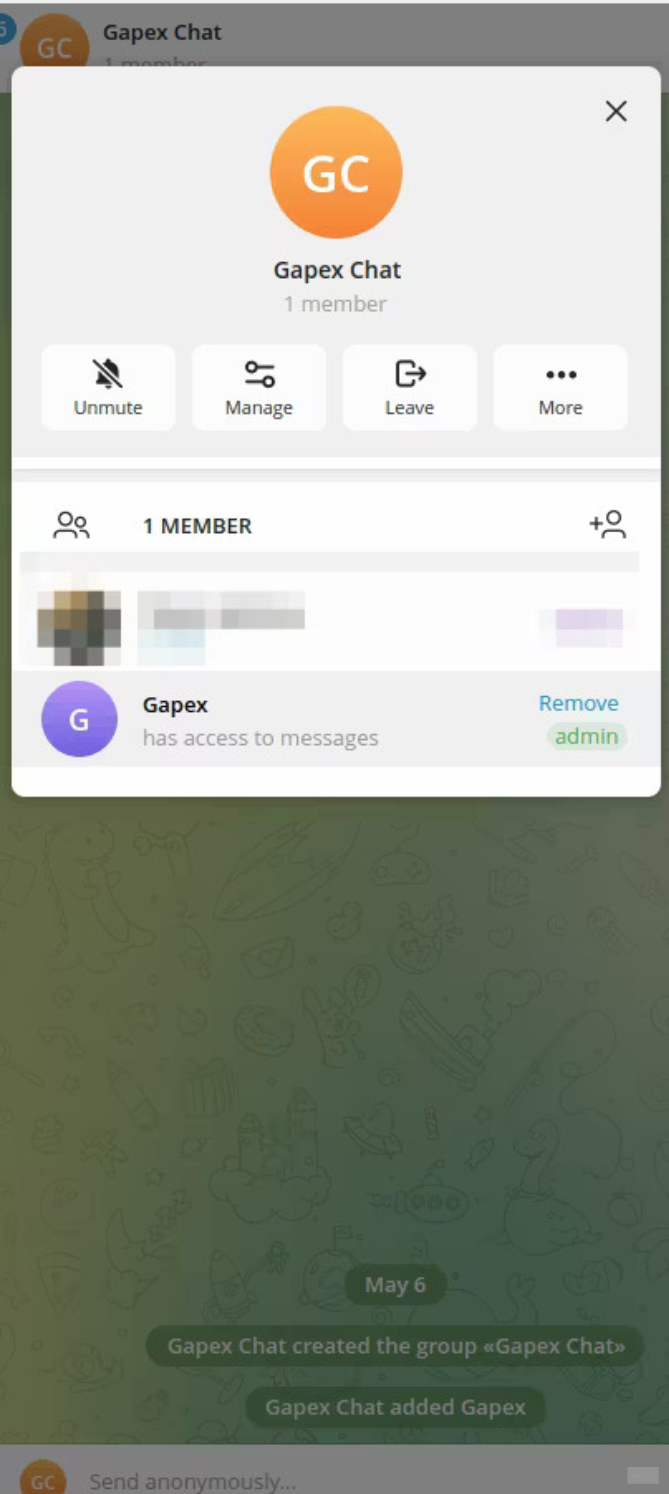
Once both steps are complete, the Gapex bot will automatically detect the connection and finalize setup.
Troubleshooting
“Please start from the web app Connect button first”
Problem: You opened the bot directly without going through Gapex first. Solution: Return to the Gapex dashboard, click + Add account, select Telegram, and use the link provided there.
“This channel has no linked discussion group”
Problem: Your Telegram channel does not have a discussion group linked to it. Solution: In Telegram, open your channel → Edit → Discussion → link an existing group or create a new one. Then tap “I’ve linked a group — check again” in the bot.
“That link has expired”
Problem: The connection link is valid for a limited time. Solution: Return to Gapex, click + Add account again, and start a fresh connection flow.
Comments are not appearing
Problem: The bot may have lost admin access. Solution: Check that the Gapex bot is still an administrator in both your channel and the discussion group with the required permissions.
Limitations
- Webhook-only — Gapex only captures comments received after the connection is made. Historical comments are not imported.
- No likes — Telegram’s Bot API does not support liking messages.
- No hiding — Messages can be deleted but not hidden.
- Max reply length — 4,096 characters per reply (Telegram’s limit).
- Discussion group required — Channels without a linked discussion group cannot be connected.
Privacy & Security
- No passwords — Gapex uses a shared bot; you only need to grant admin permissions.
- Minimal permissions — The bot only requests delete and restrict permissions — it never reads private messages outside your discussion group.
- Revocable — Remove the bot from your channel and discussion group at any time to disconnect.
FAQ
Q: Can I connect multiple Telegram channels? A: Yes. Repeat the “Add account” process for each channel.
Q: My channel is private — can I still connect? A: Yes. In the bot, tap “My channel is private — how to add?” for instructions on manually adding the bot via the channel’s Administrators settings.
Q: Do I need to create a bot token? A: No. Gapex operates a shared bot for all users — you simply invite it to your channel.